The visual keyboard
Visual Keyboard Editor
See and rebind every shortcut visually — including add-ons.
FreeFree license
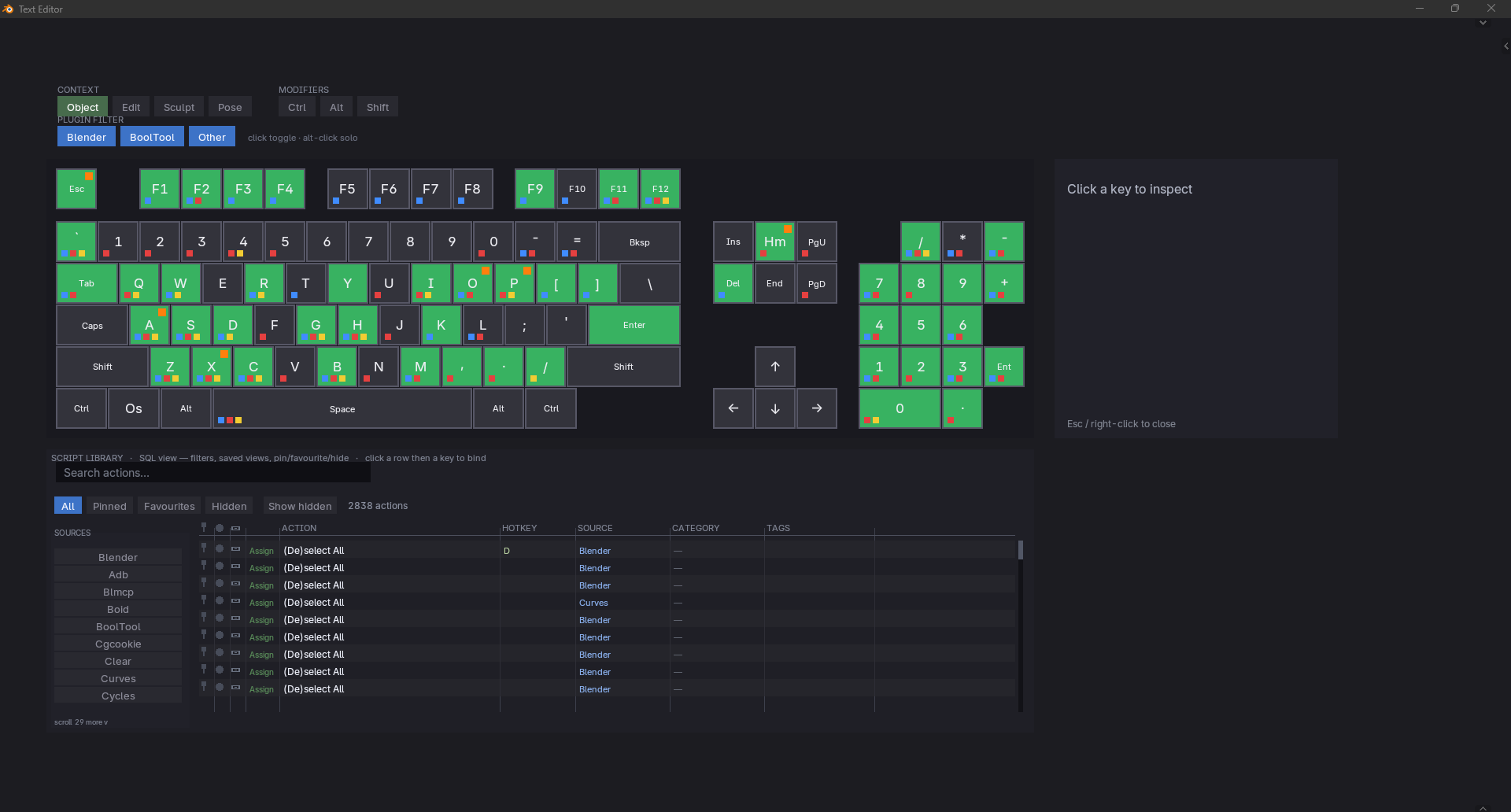
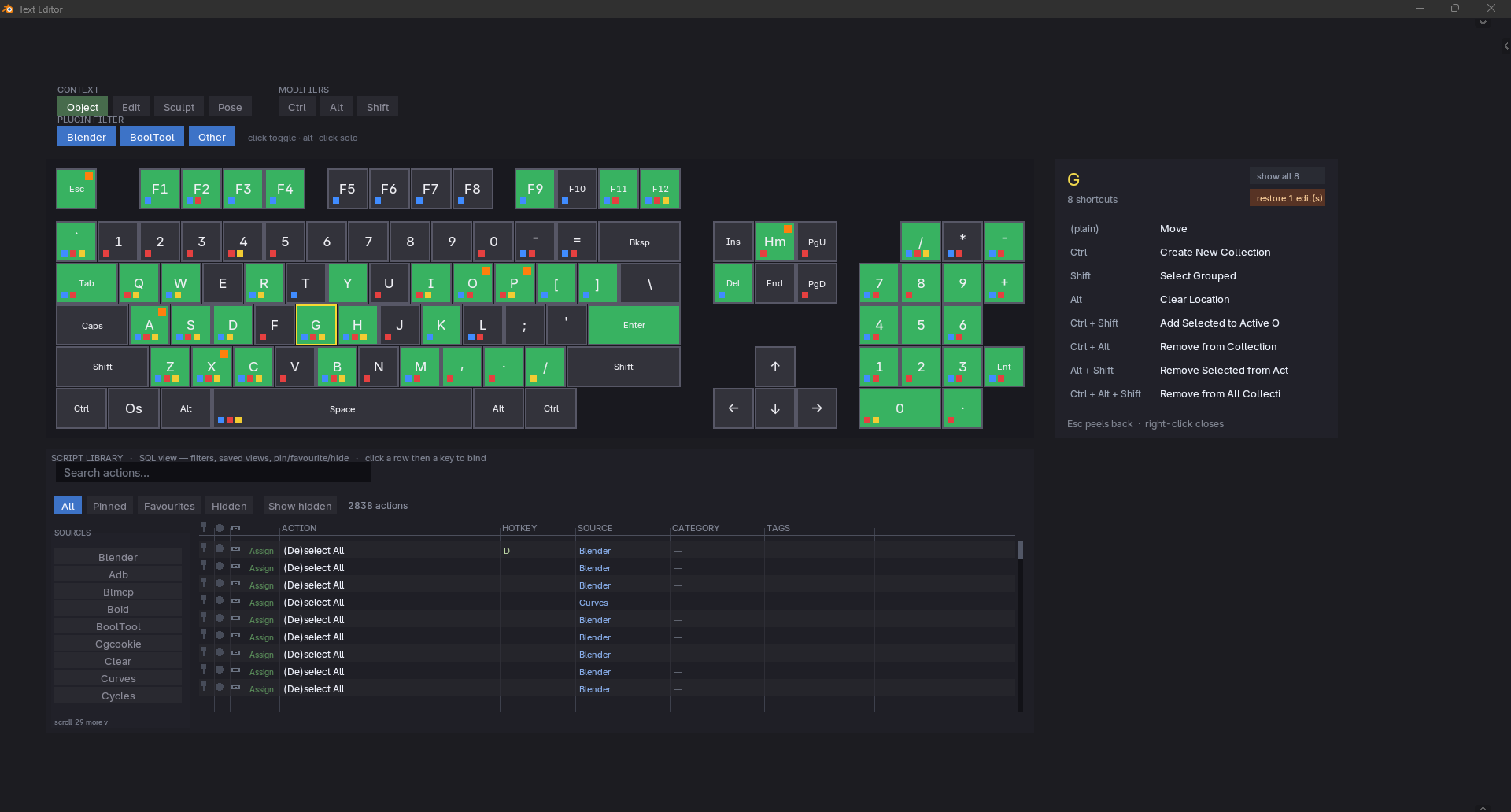
See your whole keyboard at a glance. Visual Keyboard Editor draws Blender's shortcuts as a real, colour-coded keyboard — bound keys lit, empty keys dark — with Ctrl / Alt / Shift filters, so you can see exactly what every key does in every mode.
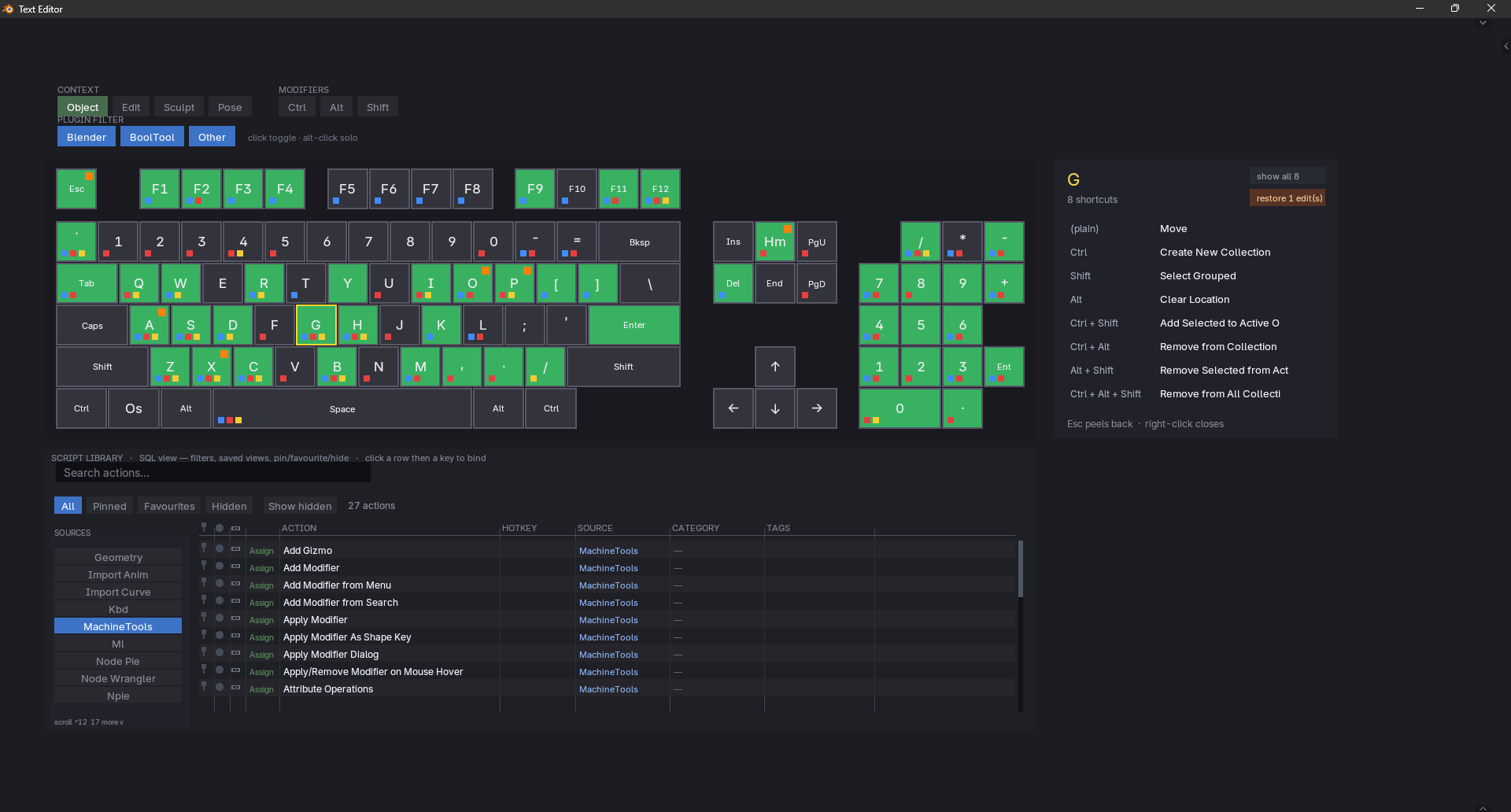
It works with all your other add-ons — that's the whole point. It doesn't just show Blender's built-in shortcuts; it reads every add-on you have installed. BoolTool, MachineTools, Node Wrangler — whatever you run, their operators and shortcuts all show up here, filterable by add-on, so you finally have one place to see and organise everything you've got.
Rebind anything, safely. Click a key to inspect every operator on it across all your modifiers, then change, disable or add a shortcut — including Blender's own native ones and those added by add-ons. Every edit is reversible, and your bindings persist across restarts.
Find the command, not the key. Underneath sits a searchable library of every action in your Blender (2,800+ and counting) — filter by add-on or category, favourite the ones you use, hide the noise, and bind a shortcut straight from the list.
A work in progress. This is an early, free release and still growing — if you hit a bug or something feels off, please send it in and I'll get it fixed and pushed out as an update. (A spot to report problems and leave comments is coming to this page.)
Free and open. The open base of the Blue Horizon plugin family — GPL-3.0, no account, no catch. Paid modules build on top of it.
Features
- Full visual keyboard — colour-coded, GPU-drawn
- Rebind native + add-on shortcuts, reversibly
- Searchable action library (favourite · pin · hide)
- Click-to-bind straight from the library
- Bindings persist across restarts
- Conflict detection built in